
Lilly Health™
Eli Lilly and CompanyMedical
4.7279.00 Reviews
- Version
- 3.2.1
- Installs
- 100.00K
- Age Rating
- Everyone
Screenshots
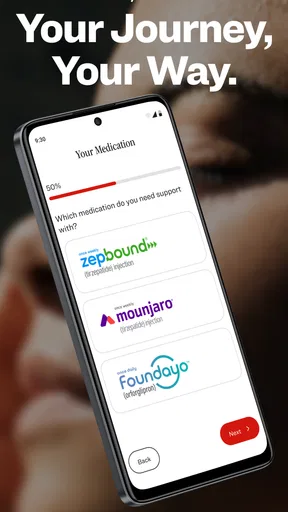
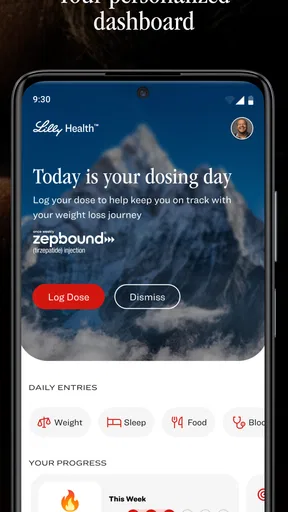
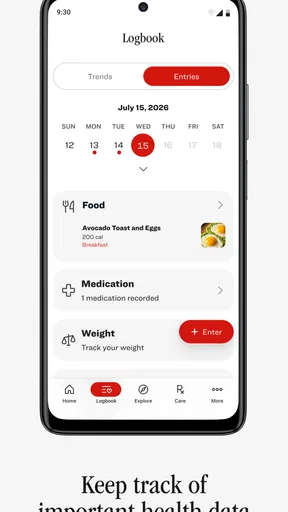
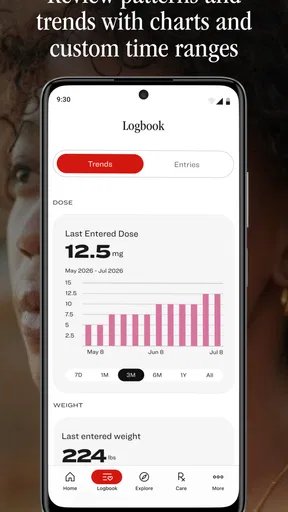
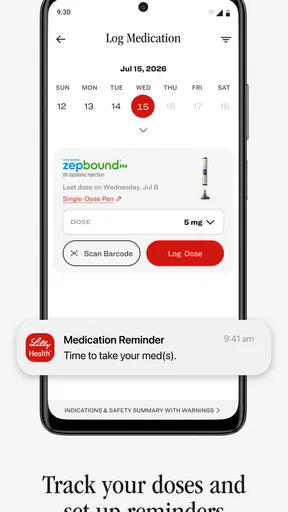
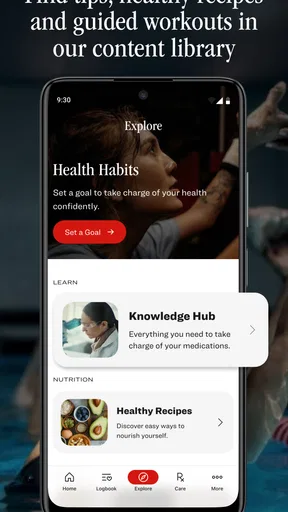
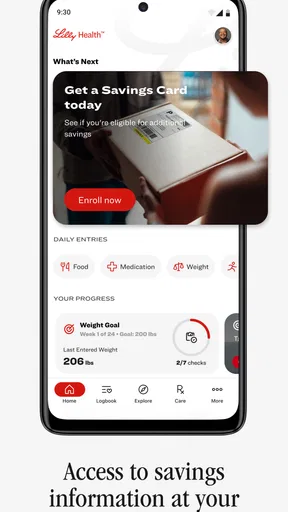
Our Review of Lilly Health™
 Analysis by Appyee
I approached Lilly Health™ as a practical medical companion rather than as an app I would open for entertainment. Developed by Eli Lilly and Company, it brings together tools, tracking, and support in one place, which can be useful when health information otherwise ends up scattered across notes, reminders, messages, and separate apps. My overall impression is that its value depends less on visual polish and more on whether its available tools fit your treatment routine.
That distinction matters. A medical app can be free, easy to install, and well regarded while still not being the right choice for every person. Lilly Health™ is free, carries an Everyone age rating, and has reached over 100 thousand installs. It also holds a 4.4 average from around 747 ratings, so there is clear interest in the experience. I would still judge it by the daily work it helps you do: finding support, recording relevant information, and keeping health-related tasks easier to manage.
How the app feels to use in real life
I find the most useful way to judge a medical app is to ask whether it makes one recurring task easier, not whether it promises to organise everything. In the sections ahead, I focus on how a dedicated place for health tools, tracking, and support can shape a routine—and where that convenience has limits. The key question is whether it fits the way you already manage care.
Readability and navigation come before extra features
When I use a medical app, I want to understand the next step quickly. Health information is often viewed when I am tired, distracted, worried, or trying to remember instructions from a clinical visit. Lilly Health™ makes the most sense when treated as a central starting point for its tools and tracking rather than as a replacement for a healthcare professional.
The strongest design choice is the idea of bringing related support into one application. Instead of switching between a general notes app, a calendar, and a separate health tracker, I can begin with the medical resource designed around Lilly’s ecosystem. That reduces mental overhead, especially for someone who is already dealing with appointments, treatment routines, or questions that are easy to forget.
For readability, I recommend taking a few minutes on the first launch to identify the areas you will actually use. A crowded medical dashboard can become confusing if every option receives equal attention. I would focus on the tracking and support functions relevant to my situation, then return to the app through those familiar paths. This is a small habit, but it makes the app feel less like a catalogue and more like a personal routine.
The current version is 3.1, and the app requires Android 10 or later. That requirement is reasonable for many recent phones, but it is important for people using an older device. If a family member relies on an ageing handset, device compatibility should be checked before building a health routine around the app. The app is also available in the medical category, which accurately reflects its purpose: it is a health-support tool, not a general lifestyle tracker.
Useful for people who need a calmer information routine
I can see Lilly Health™ helping someone who regularly loses track of health details between appointments. Imagine a person preparing for a visit: during the week, they use the app to keep relevant tracking in one place, look for available support, and review what they want to ask. Before the appointment, they have a more organised starting point than a collection of half-remembered notes.
That workflow is particularly helpful when another person assists with care. A partner, adult child, or caregiver may not need to use the app constantly, but a shared understanding of where information and support tools are located can make conversations less fragmented. The app does not remove the need for communication, yet it can give those conversations a more consistent reference point.
I would not assume that every person will find a single health hub automatically simple. Someone who prefers a paper diary may find digital tracking unnecessary. Someone already committed to a hospital portal may also wonder why another app is needed. Lilly Health™ is most convincing when its tools solve a specific organisational problem rather than when it is installed merely because it is free.
Motor and sensory considerations
Medical apps should be judged by more than whether a person can technically open them. Touch accuracy, visual attention, hand steadiness, and the ability to concentrate all affect whether tracking becomes sustainable. Lilly Health™ may be useful for people who want a dedicated place for health-related tasks, but the practical experience will still depend on the phone, operating system, display settings, and the user’s abilities.
For someone with limited dexterity, the best approach is to reduce unnecessary interaction. I would keep the app in an easy-to-reach place, use the phone’s built-in accessibility controls where helpful, and avoid waiting until a busy or stressful moment to enter information. Completing a short task soon after it happens is often easier than reconstructing a full day later.
People with low vision may benefit from adjusting system text size, contrast, magnification, or display brightness before deciding whether the app works for them. Those settings can improve the broader phone experience, not just this application. At the same time, enlarging text can sometimes make screens feel more crowded, so I would test the most important tracking and support paths rather than judging accessibility from the opening screen alone.
For users with hearing loss, visual information is especially important whenever an app communicates status or guidance. I would not rely on a sound or notification as the only reminder for an important health task. A written routine, calendar entry, or caregiver check-in may provide a more dependable backup. This is not a criticism unique to Lilly Health™; it is a sensible safeguard for any digital health tool.
People with cognitive fatigue may appreciate having health tools and support in one location, but too many choices can still create friction. My practical tip is to decide what the app is for before using it: perhaps tracking a particular health routine, preparing for conversations, or finding relevant support. A narrow purpose makes it easier to recognise what matters and ignore the rest.
Situational access is just as important as permanent access
Accessibility changes with circumstances. A person may have full use of their hands and eyesight at home but struggle to interact with a phone while travelling, recovering from illness, or managing symptoms. Lilly Health™ is more useful when it is incorporated into a predictable moment, such as after a routine task or before an appointment, instead of being treated as something that must be checked constantly.
In a noisy environment, I would avoid depending on audio cues or trying to read detailed information while moving. In bright outdoor light, screen glare can make even familiar controls harder to identify. At night, reduced brightness and a calmer phone setup may be more comfortable, although I would still make sure important information is not missed.
There is also the question of connectivity and device access. A person who shares a phone, changes devices often, or has limited access to mobile data may find any app-based health routine less convenient. In those situations, I would keep a simple backup record for essential questions and dates. The app can support organisation, but it should not become the only place where a person remembers something important.
For caregivers, situational access may mean using the app together with the person receiving care rather than taking over completely. That preserves the user’s involvement and can reveal which screens or tasks are genuinely difficult. If the person prefers another method, forcing the app into the routine may create more resistance than benefit.
What makes it different from ordinary alternatives
The usual alternatives are a notes application, a calendar, a general wellness tracker, or a healthcare provider’s patient portal. Each has a clear strength. Notes are flexible, calendars are good for dates, wellness trackers may offer broader habits, and portals are often tied to clinical communication. Lilly Health™ occupies a different space by combining tools, tracking, and support around a Lilly health experience.
That focus can be an advantage when the available support matches your needs. A general notes app makes you design your own system, while a dedicated medical app can reduce that setup work. On the other hand, a general tool may be better if you need complete flexibility, cross-provider information, or a record that is independent of one company’s ecosystem.
I would not use Lilly Health™ as a substitute for a hospital portal when I need test results, formal messages, or provider-specific records. Nor would I expect it to replace professional advice. Its role is more practical and supportive: helping me engage with relevant tools and maintain a clearer personal routine.
Remaining barriers before making it part of care
The biggest potential barrier is fit. A medical app can be thoughtfully made and still feel unnecessary if its tracking does not match the user’s condition or if the person already has a reliable system. Installing it is easy; maintaining another routine is not. I would give it a fair trial around one concrete task rather than attempting to move every health activity into it immediately.
Another barrier is the emotional effort of tracking. Some people feel reassured by records, while others become more anxious when they monitor every detail. If using the app makes you focus on health information throughout the day, I would scale back to the minimum useful routine and discuss concerns with a healthcare professional. More tracking is not automatically better tracking.
There can also be a learning curve for people who are not comfortable with smartphones. A short guided session with a trusted person may help, but the helper should explain the purpose of each step instead of simply taking control. The goal is independence where possible. If a user cannot understand what they are recording or why, the app is not serving them well.
Privacy and personal boundaries deserve practical attention too. I would use the phone’s normal security settings, avoid leaving sensitive screens open in public, and think carefully before sharing a device. These are sensible habits for medical information generally. They also help caregivers support someone without exposing more personal information than necessary.
Finally, the Android requirement can exclude people with older phones. That is not a problem for users on a compatible device, but it may matter in families where the person who needs support has inherited an older handset. In that case, a paper record or a simpler existing tool may be the more inclusive option until the device situation changes.
Who I would recommend it to
I would recommend Lilly Health™ to people who want a dedicated medical companion connected to Eli Lilly and Company and who can identify a clear need for its tools, tracking, or support. It is especially worth considering if your current system is spread across several places and you would benefit from a more focused starting point.
I would also consider it for a caregiver who wants to help organise a health routine without relying entirely on memory. The best results will come from agreeing on a small, repeatable workflow: open the app at a consistent time, record only useful information, and review it before a relevant conversation. That approach is more sustainable than treating the app as a diary that must capture everything.
I would skip it, at least for now, if you want a universal health record covering multiple providers, a full clinical portal, or a highly customisable general tracker. In those cases, your existing provider system or a flexible notes and calendar combination may be a better match. I would also skip it if tracking tends to increase anxiety and there is no clear benefit to adding another health routine.
My inclusive verdict
Lilly Health™ is a focused medical app with a sensible purpose: bringing health tools, tracking, and support closer together. I like the possibility of using it as a calmer home base for a specific routine, especially when the alternative is juggling disconnected notes and reminders. Its free price and Everyone rating make it approachable, while the Android 10 minimum means older devices may need attention before installation.
Its inclusive value depends on how deliberately it is used. People with different visual, motor, hearing, or cognitive needs may be able to make it more comfortable through phone settings, predictable routines, and backup methods, but no single app removes every barrier. I would test the tasks that matter most, not just browse the opening screens.
My final recommendation is measured but positive: try it when you have a concrete Lilly-related health-support need and want one dedicated place to begin. Keep another method for essential information, involve caregivers without removing the user’s control, and choose a provider portal or general tracker when those tools better match the job. Used with that realistic understanding, Lilly Health™ can be a helpful part of a health routine rather than another app competing for attention.
Privacy and Permissions
See what permissions an app requests and how it handles your data.
- Location
- approximate location (network-based), precise location (GPS and network-based)
- Phone
- directly call phone numbers
- Photos/Media/Files
- read the contents of your USB storage, modify or delete the contents of your USB storage
- Storage
- read the contents of your USB storage, modify or delete the contents of your USB storage
- Camera
- take pictures and videos
- Microphone
- record audio
- Wi-Fi connection information
- view Wi-Fi connections
- Other
- view network connections, pair with Bluetooth devices, access Bluetooth settings, disable your screen lock, full network access, run at startup, draw over other apps, control vibration, prevent device from sleeping, Google Play license check
Verdict
Strengths of Lilly Health™
- Personalized cycle and fertility tracking tools are easy to navigate.
- Clear charts help users understand patterns in their health data.
- Reminders can support consistent logging of symptoms and periods.
- Useful educational content encourages better reproductive health awareness.
- Data entry is quick, making regular tracking less time-consuming.
Limitations of Lilly Health™
- Some advanced features may require a paid subscription.
- Predictions can be inaccurate with irregular cycles or limited data.
- The app should not replace professional medical advice or diagnosis.
- Frequent notifications may feel overwhelming for some users.
- Privacy settings and data-sharing policies should be reviewed carefully.
Similar Picks in This Category
View All
WebMD: Symptom Checker
WebMD, LLC4.1

Microphone Amplifier
DOSA Apps4.2

Anatomy Learning - 3D Anatomy
3D Medical OU4.5

Period Tracker and Calendar
SimpleInnovation4.9

GoodRx: Prescription Coupons
GoodRx4.8

CVS Health
CVS Pharmacy4.5
Frequently Asked Questions
What is Lilly Health™ and what can I use it for?
Lilly Health™ is a digital health application designed to help users access information, services, and support related to their healthcare needs. Depending on your location and eligibility, it may provide features such as health education, treatment resources, appointment or service guidance, and personalized content. Available tools can vary by country, so review the app description and permissions before downloading.
Is Lilly Health™ a replacement for a doctor or emergency medical care?
No. Lilly Health™ should be treated as an informational and support tool, not as a substitute for a qualified healthcare professional. The app may help you understand available resources or manage certain health-related tasks, but it cannot diagnose emergencies or replace medical advice. If you experience severe, sudden, or life-threatening symptoms, contact local emergency services immediately.
Does Lilly Health™ require an account, and what information might I need to provide?
Some features of Lilly Health™ may be available without registration, while personalized services can require an account or verification. You may be asked for details such as your name, email address, location, treatment-related information, or other data needed to provide the requested service. Before signing up, read the privacy policy and check how your information is collected, used, stored, and shared.
Is Lilly Health™ free to download and use?
The download cost and available features for Lilly Health™ may depend on the platform, region, and specific program connected to the app. While the application itself may be free, certain services, treatments, consultations, or healthcare products discussed through it could involve separate costs or eligibility requirements. Check the official store listing and any applicable terms before relying on a feature.
What should I check before downloading Lilly Health™?
Before installing Lilly Health™, confirm that you are downloading the official application from Google Play or the Apple App Store, and verify the developer name, recent update date, ratings, and requested permissions. Make sure your device meets the operating-system requirements and that the app is available in your country. You should also review privacy, account, and notification settings before entering personal health information.
